BTCB2 Mining Pools: Lazarus Fees, DATUM & Safe Setup
Updated September 16, 2026. Pool details below come from operators’ published instructions, not a BT-Miners mining or payout test. BTCB2 is a separate BLAKE2b chain—not BTC on Bitcoin’s SHA-256 network. Dynamic fees and incentives can change; recheck the operator’s current page before connecting.
If you’re mining BTCB2 on AlphaPool, take a look at the notice at the top of its website. The pool says it accounts for too much of the network and asks miners to send some work elsewhere. It names Lazarus, iohzrd, RIPTIDE, and CONVOY as alternatives.
For a farm running a large fleet, moving a few groups of machines is a reasonable place to start. That includes Chinese farms with substantial Sia hardware already installed. There’s no need to move everything at once, and certainly no need to buy more machines just to change pools.
The harder question is where to send that work. Some BTCB2 pools accept a normal Stratum connection; others expect you to run a node and gateway. Below are the addresses, fees, and setup differences worth checking before you touch the miner’s settings, followed by our five-model hardware comparison.
About the 80% Claim
Messages circulating among miners put AlphaPool above 80% of the network and suggest developers might change the algorithm again. We haven’t verified that percentage or found an attributable developer announcement confirming such a plan. AlphaPool’s own request to spread the work is enough reason to look at alternatives without treating either claim as settled.
If you share a concentration figure, include its date and measurement window. “80% of recent blocks” is not the same measurement as “80% of network hashrate,” particularly over a short period.
For the chain’s background, see our BTCB2 mining and ASIC guide. Use the current pool documentation linked below for connection details.
Why Concentration Matters
Too much mining power under one operator makes the network more exposed to censorship and chain-reorganization attacks. That is a risk, not an accusation against AlphaPool. Even majority hashrate does not let a pool spend someone else’s coins or force honest nodes to accept invalid blocks. The Bitcoin developer guide explains the underlying security model.
Moving machines to a different operator spreads control and reduces your dependence on one service. Running a compatible node and DATUM gateway goes a step further in another direction: it lets you choose your block’s transactions. A gateway still connected to the same pool does not, by itself, spread work across operators. Nor does switching between that pool’s US, European, or Asian servers.
BT-Miners and Lazarus Pool: Partnership Update
Partnership confirmed September 16, 2026. BT-Miners has entered into a partnership with Lazarus Pool to help miners find current BTCB2 setup information and diversify hashrate. BT-Miners sells the hardware linked in this guide.
The partnership does not establish exclusivity, a customer discount, guaranteed hardware compatibility, pool uptime, accepted shares, payouts, profitability or a payback period. No additional customer benefit or campaign end date is confirmed in this update.
This guide uses BTCB2 for the separate BLAKE2b network that Lazarus identifies as Bitcoin (XBT / BTCB2). It is not the SHA-256 Bitcoin network. Confirm the actual network supported by your wallet, miner firmware and pool before connecting.
Alternative BTCB2 Mining Pools
Start with the four pools AlphaPool mentions. We’ve also included B2Pool, which publishes direct ASIC setup instructions. We haven’t ranked these services on uptime or earnings—we haven’t run that test. Check who operates each one, its recent blocks, and its payment record before committing substantial hashrate.
| Pool | How you connect | Listed fees | What to watch |
|---|---|---|---|
| Lazarus Pool | Public Stratum or your own compatible DATUM gateway | 0% own DATUM gateway; 15% Public Stratum. Lazarus says 7.5 percentage points of the Public Stratum fee are allocated to eligible DATUM work. Checked September 16, 2026. | Terms can change. Verify the chain-specific node and gateway, exact model and firmware, accepted work and payout rules. |
| RATUM Prime / iohzrd | Your own compatible gateway | Pool snapshot showed 0%; a public gateway may charge separately | Gateway version and treatment of small payouts |
| RIPTIDE | DATUM preferred; direct Stratum available | 0% DATUM; variable direct-work fee, shown as 1% | Experimental service; different username rules |
| CONVOY | Your own node and DATUM gateway | 1%; 2% when using its node for failover | You maintain the node and gateway |
| B2Pool | Direct ASIC Stratum or a gateway | Shared mining: 1% of subsidy; pool keeps transaction fees | Shared and solo use different ports |
Don’t choose from the fee column alone. Ask what the percentage applies to, whether a gateway adds a charge, and what happens to rewards below the payout minimum. Check the old pool’s remaining balance rules too.
Connection Settings and Gateway Requirements
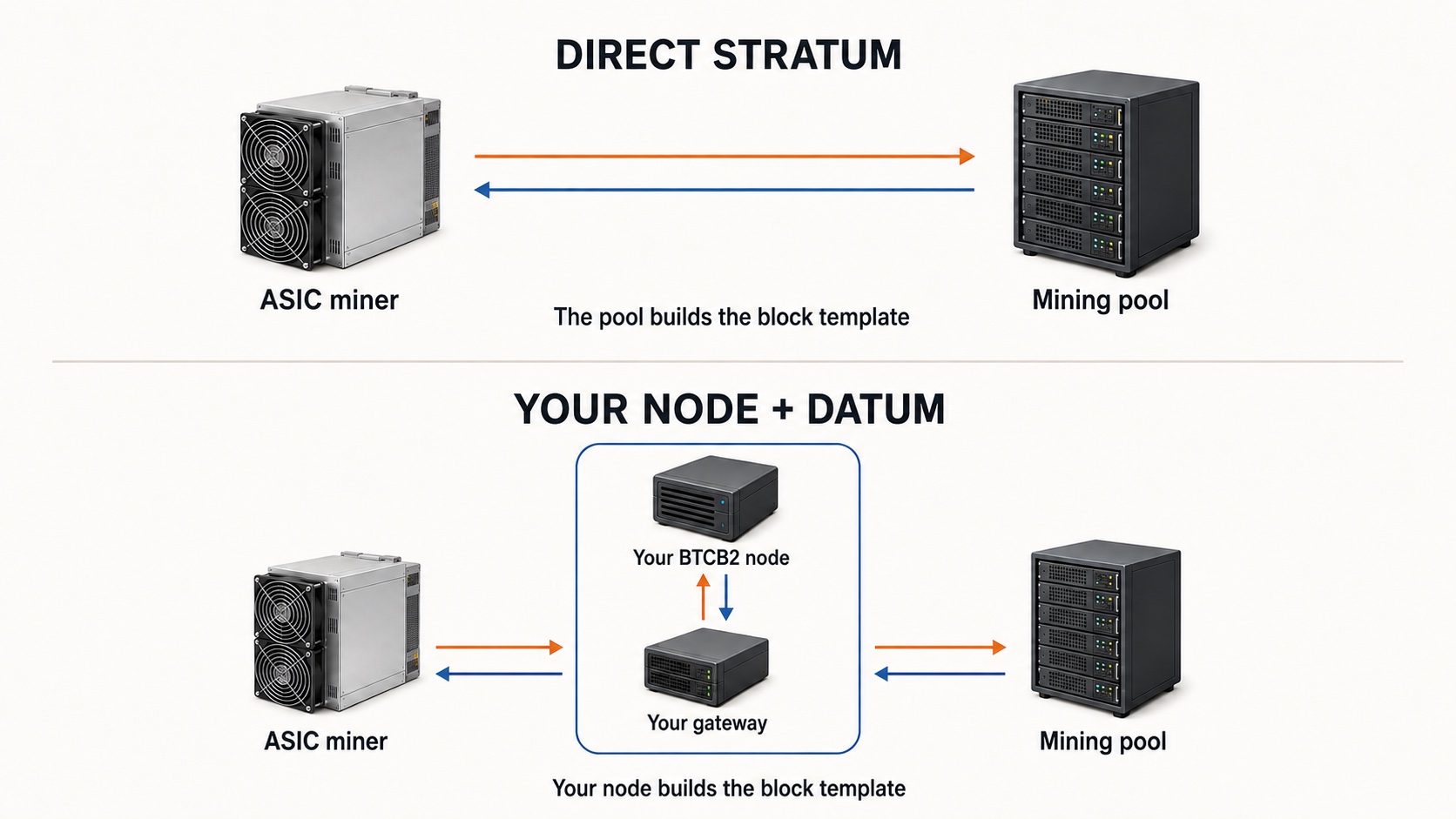
In the examples below, replace YOUR_BTCB2_ADDRESS with your own receiving address from a wallet that supports this chain. Check the linked instructions again before saving: these are published settings, not a guarantee that every firmware version will work.
Use a separate, fresh wallet for BTCB2. The pool needs a receiving address—not your seed phrase or private key. Keep node RPC and miner administration interfaces off the public internet.
Lazarus Pool: DATUM and Public Stratum
Terms checked September 16, 2026. Lazarus currently publishes a 0% pool fee for mining through your own compatible DATUM gateway and a 15% fee for Public Stratum. These are the operator’s dated terms, not permanent rates. A zero pool fee does not remove electricity, hardware, node, gateway or other operating costs.
Lazarus says 7.5 percentage points of the Public Stratum fee are allocated to eligible DATUM miners in the TIDES window, in proportion to their DATUM work. This is a distribution mechanism, not a fixed 7.5% payment to each miner. A screenshot supplied to BT-Miners on September 16 showed a +8.4% DATUM bonus; that was a point-in-time dynamic estimate, not a permanent bonus, annual yield or guaranteed increase in income. See the operator’s current DATUM subsidy explanation.
For Public Stratum, Lazarus publishes the following direct ASIC endpoint. Verify it again on the official page before use:
Pool URL:  stratum+tcp://stratum.awokenlazarus.xyz:23334
Worker:    YOUR_BTCB2_ADDRESS.rig01
Password:  x
For the own-gateway route, follow Lazarus’s current chain-specific instructions and retrieve the current gateway build, upstream endpoint and public key from the official setup section. Point ASICs at your local gateway, not at a DATUM upstream port.
Compatibility limit: matching BLAKE2b does not prove that every model, revision or firmware works with this pool. BT-Miners has not independently completed an end-to-end accepted-share and payout test for every model in this guide. Start with one machine, confirm pool-side credited work, and verify payout evidence before scaling.
RATUM Prime / iohzrd: Check the Gateway Version
For the self-hosted route, your gateway connects to pool.iohzrd.tech:28915. Copy the current public key and full configuration from the pool dashboard, then point your ASICs at your gateway’s Stratum listener.
The page recommends ratum-gateway 0.1.23 or newer and warns that some older builds truncate multi-output coinbase payouts. Its example enables pool_pass_full_users: true, with miner usernames in YOUR_BTCB2_ADDRESS.rig01 format.
There is also a public gateway; check its own fee and settings. Its page makes an important distinction: a share accepted by the gateway may still be rejected upstream. It also warns that work below the payout minimum may not carry into the next block. Check your credit at the pool, not just the miner’s green status light.
RIPTIDE: Watch the Username Settings
RIPTIDE documents this direct Stratum route, although the operator strongly prefers DATUM:
Pool URL:  stratum+tcp://sv1.riptide.maveth.ca:23337
Worker:    YOUR_BTCB2_ADDRESS.rig01
Password:  x
For DATUM, its upstream is tides.maveth.ca:28916, not an ASIC Stratum port. Follow its current gateway-build checklist and retrieve the current public key. The documented configuration sets the gateway payout address, disables Pool Pass Full Users, and sends miner names as workers; the ASIC username is then just rig01.
The username rules are different from iohzrd’s. Copying those settings here can cause rejected work. RIPTIDE also calls the service experimental and says there is no back-pay if it goes down—keep the first allocation small.
CONVOY: Run Your Own Node
CONVOY’s get-started guide starts with a synced node and DATUM gateway. Make sure both builds support the BLAKE2b chain; a standard SHA-256 setup won’t do.
Its gateway guide shows the ASIC-side pattern:
Pool URL:  stratum+tcp://YOUR_GATEWAY_LAN_IP:23334
Worker:    YOUR_BTCB2_ADDRESS.rig01
Password:  x
Use your actual gateway IP and configured listener port. Complete the upstream gateway configuration from current official instructions before connecting miners. The get-started page lists stratum+tcp://mine.convoy.xyz:3333 as failover, not the recommended primary connection. Check current BTCB2 model support for that fallback too.
The homepage displayed delayed statistics during review. Confirm fresh block and worker information before assigning production capacity.
B2Pool: Direct ASIC Connection
B2Pool’s ASIC instructions publish:
Pool URL:  stratum+tcp://de.b2pool.io:3333
Worker:    YOUR_BTCB2_ADDRESS.rig01
Password:  x
Other regions include hel.b2pool.io, ord.b2pool.io, lax.b2pool.io, and ua.b2pool.io, using the same ASIC port. Test from your farm’s connection. The closest server on a map isn’t always the one with the fewest stale or rejected shares.
They all feed the same pool and balance. Also check the port carefully: 3333 is shared mining; 3334 is solo.
The homepage now labels shared accounting TIDES, though some older wording still describes individual rounds. Confirm the current calculation with the operator. Joining a shared pool doesn’t remove dry spells when that pool finds few blocks.
Five BLAKE2b-Sia Miners to Consider
Already own one of these machines? Start with that unit before considering a new purchase. If you’re comparing models, the main differences here are power per machine and energy per terahash. The figures below are our listed Siacoin-mode ratings, not BTCB2 test results; J/TH is calculated from those ratings and rounded.
| Miner | Rated hashrate | Rated power | Approx. efficiency | Why consider it? |
|---|---|---|---|---|
| iBeLink BM-S3+ | 25 TH/s | 3,400 W | 136 J/TH | Most rated hashrate and best nominal efficiency of these five |
| iBeLink BM-S3 | 19 TH/s | 3,100 W | 163 J/TH | Less total power than S3+, with 19 TH/s rated output |
| Goldshell SC5 Pro | 11 TH/s | 2,820 W | 256 J/TH | Lower default power requirement than Pro II |
| Goldshell SC5 Pro II | 14 TH/s | 3,300 W | 236 J/TH | More listed hashrate than Pro; BTCB2 support still needs confirmation |
| Goldshell SC Lite | 4.4 TH/s | 950 W | 216 J/TH | Lowest total rated power here for a smaller pilot |
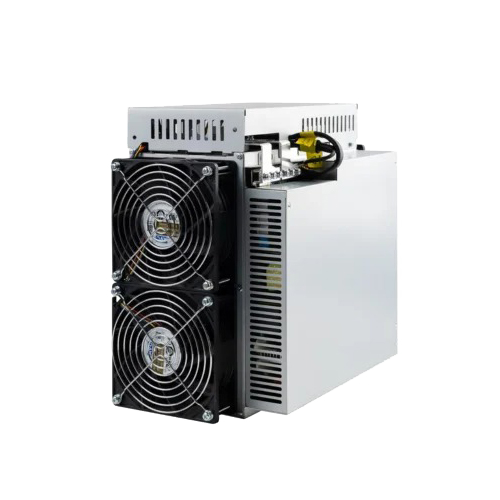
25 TH/s · 3,400 W
19 TH/s · 3,100 W
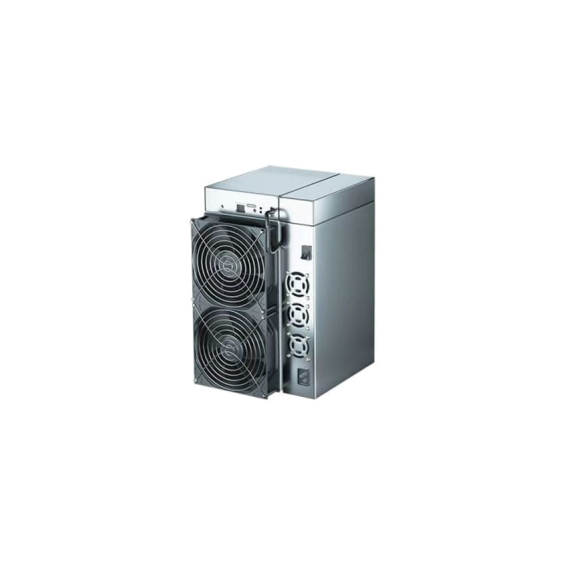
11 TH/s · 2,820 W
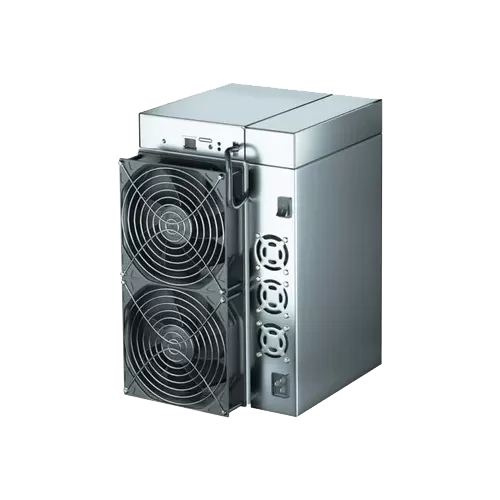
14 TH/s · 3,300 W
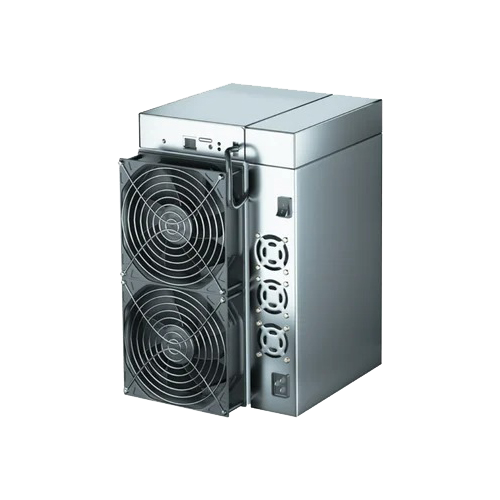
4.4 TH/s · 950 W
Photos from the linked BT-Miners product listings. Some listings share enclosure photography; images do not verify a particular batch, firmware, or BTCB2 compatibility.
The BM-S3+ is worth a close look where electricity cost is the main constraint, provided you have the circuit capacity and cooling for 3.4 kW per unit. The BM-S3 draws less power overall. Check the full model name when ordering: this is the iBeLink 19 TH/s machine, not simply anything called “S3.”
The SC5 Pro also has a listed low-power mode: 8.8 TH/s at 2,020 W, or about 230 J/TH. For the SC5 Pro II, the 14 TH/s and 3,300 W figures are store ratings; independent manufacturer confirmation of this exact revision is still pending. Pro support does not establish Pro II support.
At 950 W, the SC Lite needs the least total power of these five. That makes it useful for a smaller test, but don’t read “Lite” as a promise of quiet operation. Check noise, ventilation, voltage, condition, and the exact variant before buying any of these models.
Project or pool documentation names BM-S3+, BM-S3, SC5 Pro, and SC Lite. SC5 Pro II still needs exact-model BTCB2 verification. We have not completed a BTCB2 mining-and-payout test for these five units; check the firmware and selected pool on one machine before scaling up.
How to Move Hashrate Safely
Save the Old Settings First
Export or screenshot the existing configuration. Record the model, firmware, hashrate, reject rate, and unpaid rewards. Find out what happens to pending or below-minimum balances when you stop mining, and keep access to the old payout wallet.
Move One Machine, Then Check Both Ends
Choose one representative unit and change its pool settings. Don’t install unfamiliar firmware just because a forwarded message recommends it. Watch the miner reconnect, then check whether the pool credits its work to the right address.
If you’re using a gateway, check the upstream pool as well as the gateway dashboard. Keep the node, gateway, and miner configuration from the same operator’s instructions rather than mixing examples.
Before moving more machines, you want to see accepted shares, correct pool credit and fees, and a completed payment that your BTCB2 wallet recognizes. Newly mined outputs must mature before they can be spent. A small pool may take more than a day to produce a payment, so set a test budget and decide in advance when you’ll switch back if the test is not working out.
Split the Fleet, Not Just the Backup Slots
Once the test checks out, move another group. Base the allocation on current pool size and the results you’re actually seeing. Sending the whole fleet to one small replacement pool could simply create the next concentration problem.
On firmware using priority/failover mode, Pool 2 and Pool 3 usually sit idle while Pool 1 is healthy. Filling those slots is not the same as splitting active hashrate. Give different groups different primary pools, or use a supported load-balancing mode you understand. Check where the machines land after an outage too.
Watch the Power Bill Alongside the Pool Dashboard
Your power bill keeps running while a pool waits for its next block. Track wall power, cooling, rejected shares, fees, payment delays, and whether you can actually sell or use the coins. Electricity cost is kW × operating hours × electricity rate. A cheaper pool fee is useful, but it won’t make up for every lost share or payment problem.
Frequently Asked Questions
Is BT-Miners Partnered With Lazarus Pool?
Yes. BT-Miners management confirmed the partnership on September 16, 2026. The confirmation does not establish exclusivity, a customer discount or guaranteed mining performance.
What Fees Does Lazarus Pool Publish?
As checked September 16, 2026, Lazarus publishes 0% for your own DATUM gateway and 15% for Public Stratum. Recheck the official website before connecting. These are pool fees, not total operating costs.
Is the DATUM Bonus Fixed?
No. Lazarus says 7.5 percentage points of its Public Stratum fee are distributed to eligible DATUM work in the TIDES window. The +8.4% shown in a September 16 screenshot was a dynamic estimate, not a fixed reward or guaranteed return.
Will Any BLAKE2b Miner Work on Lazarus Pool?
Matching the algorithm does not establish exact-model compatibility. Verify the model, revision, firmware, protocol and connection path, then confirm pool-side accepted work. Separate evidence is needed to verify payouts.
Does Switching Pools Prevent an Algorithm Change?
No. We haven’t verified an announcement committing to another change, and a software proposal would still need network adoption. Spreading hashrate addresses concentration; it does not guarantee that the algorithm will stay the same forever.
Would an Algorithm Change Make These Miners Worthless?
They could lose the ability to mine the BTCB2 branch adopting an incompatible algorithm. That would not automatically remove their other compatible-network uses. Whether those uses pay the bills is a separate question, depending on rewards, difficulty, coin price, and electricity cost.
Which of the Five Miners Should I Choose?
Start with your power capacity, electricity rate, purchase budget, and confirmed pool support. BM-S3+ has the best nominal energy efficiency here; SC Lite draws the least power per machine. Neither is a guaranteed profit winner. Confirm the Pro II’s exact-model support before buying it specifically for BTCB2.
Start With a Small Move
If all your BTCB2 hashrate is on AlphaPool, choose one alternative from the list and test a machine. Check the payment, compare the reject rate, and then decide how much more work to move. Keep checking pool sizes after that first switch.
If you’re also planning a hardware purchase, each model name in the comparison links to its BT-Miners product page. Ask us about the exact unit, power requirements, and available compatibility evidence before ordering. If you already own suitable hardware, start there.
Disclosure: BT-Miners sells the linked hardware and confirmed a partnership with Lazarus Pool on September 16, 2026. The partnership does not guarantee compatibility, uptime, accepted shares, payouts, mining returns or payback. This article is educational, not financial advice; recheck pool settings and fees before use.